The HTC G11 (also known as the HTC Incredible S) is a very old Android device (released in 2011). Because of its age, rooting it today is quite different from modern phones. Here's what you need to know:
⚠️ Important Warnings First
- Most guides/links online are dead — XDA threads, ROM mirrors, and tool downloads from 2011–2013 are largely gone.
- You risk bricking the device — recovery flashing on old HTCs (with S-ON/S-OFF) is unforgiving.
- Stock ROM is ancient (Android 2.3 Gingerbread, later 4.0 ICS via update) — many apps won't run regardless.
- Battery/charging issues are common on 14-year-old hardware.
General Root Path for HTC G11 (Incredible S)
The process typically involves:
Unlock the Bootloader (S-OFF or HTCDev unlock)
- HTCDev unlock — HTC's official bootloader unlock site is shut down (HTC exited the phone business). You cannot get an unlock token officially anymore.
- Revolutionary / AlphaRevX — these S-OFF tools required specific HBOOT versions and their servers are offline.
- XTClip / JuopunutBear — hardware/software S-OFF methods; files are hard to find.
Without S-OFF or an unlocked bootloader, you cannot flash a custom recovery on this device.
Flash a Custom Recovery
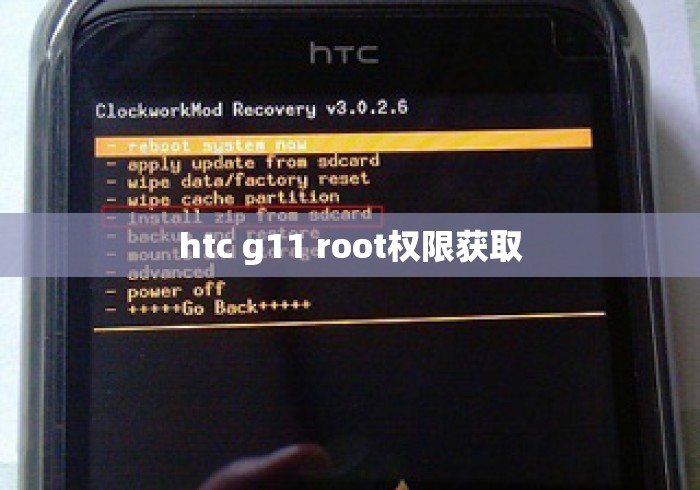
- ClockworkMod (CWM) or 4EXT Recovery were standard for the G11.
- Requires
fastboot flash recovery recovery.img with an unlocked bootloader.
Flash Root (SuperSU / Magisk — old versions)
- Old SuperSU zips (v2.x) work; Magisk won't run on such old Android/kernels.
- Flash via recovery.
Optional: Custom ROM
- CyanogenMod 7/9/10 ports existed for the Incredible S (Android 2.3–4.1).
- MIUI and Sense 3.5/4.0 ROMs were popular.
- These are archived on a few remaining XDA threads — check the HTC Incredible S forum on XDA (subforum still exists, links may be dead).
Realistic Advice
Given how old this device is:
- Check XDA Developers → HTC Incredible S forum — look for stickied "Index" threads. Download links may be dead, but users sometimes re-upload.
- Search Archive.org for old CWM/SuperSU/ROM mirrors.
- Expect failures — many users report stuck at HBOOT, bootloops, or dead links.
- If your goal is just to use the phone, rooting won't magically make it useful — the hardware/software is too old for modern apps.
What I'd Need to Help Further
- Your HBOOT version (boot into bootloader: Power + Volume Down)
- Whether it's S-ON or S-OFF
- Your goal (custom ROM? just root? remove bloat?)
If you tell me those, I can point you to the specific (likely archived) files and steps — but be prepared that this may be a frustrating process in 2025.
暂时没有评论,来抢沙发吧~